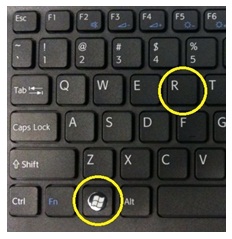
Click on Windows and R button together.
- In the Run window, type "%temp%"and press enter.
- The temp folder will be opened. Delete all the files in this folder.
- Type "temp" and press enter
- The temp folder will be opened. Delete all the files in this folder.
- Type "prefetch" and press enter and delete files in the folder
- Remove any saved favorite link as well from the browser.
- Post this, user can access the Agent Portal
For more details please see the video given below
